Works with LinkedIn® · Chrome

Know where every
outreach conversation stands.

ProfitSonar is a side panel for your outreach. On a profile, log the visit, jot a note and move the contact on. Anywhere, count the work you put in and time your sessions. Then see it all on the web.

Free plan, no card needed. It never reads LinkedIn's pages.

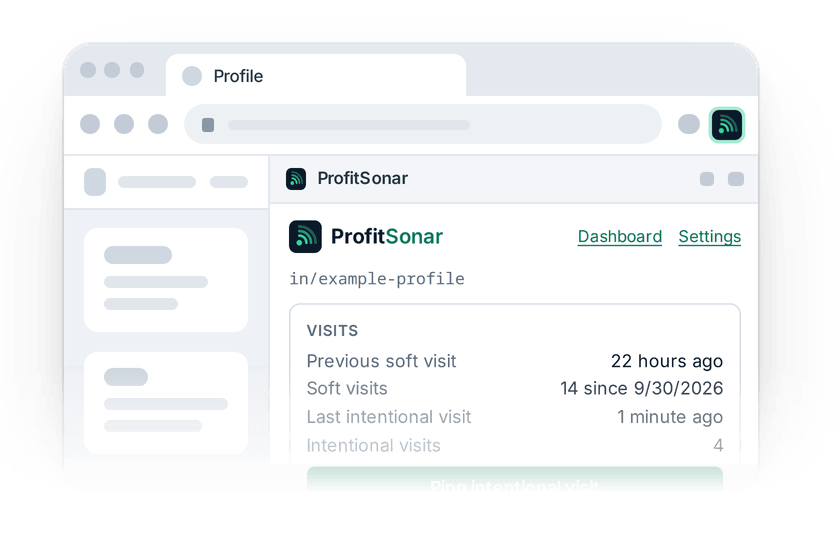
The ProfitSonar side panel for an example profile: its visits, a label, and pipeline stages from Identified to Agreement.

How it works

Track the work where you do it. Review it where you plan.

  1. A browser with a profile page open and the ProfitSonar side panel docked beside it.
    1

    Open a profile

    The side panel opens next to the LinkedIn profile you're on and shows where that contact stands. Off a profile, it shows your tracked events and the clock.

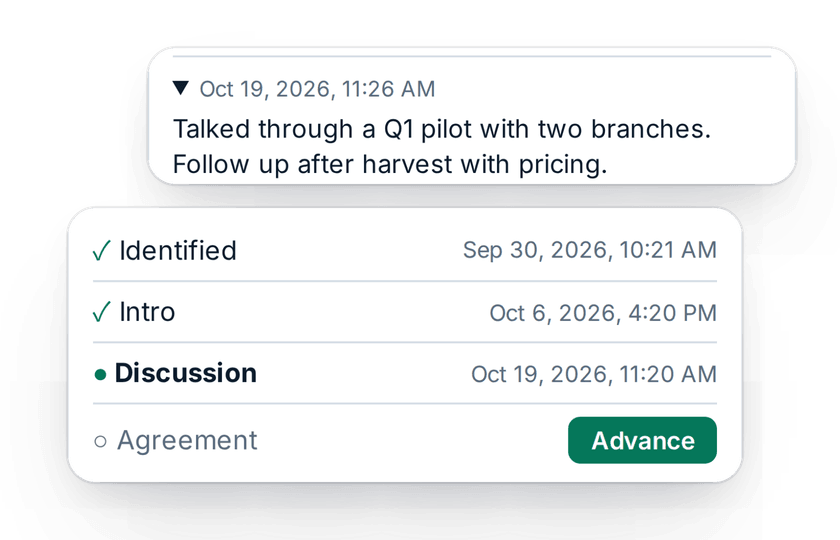
  2. A time-stamped note, and pipeline stages with Advance ready on the next one.
    2

    Log what happened

    Ping a visit, jot a note, record when you connected or last talked, and advance the contact to the next stage.

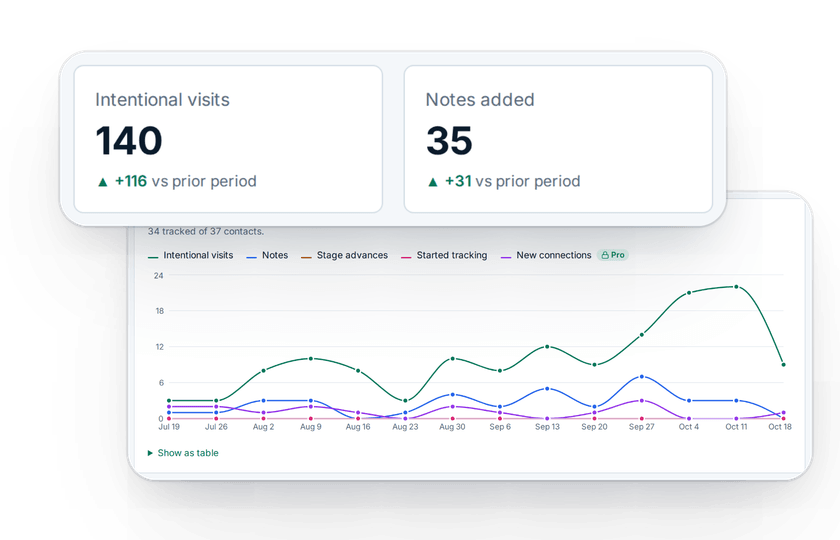
  3. Dashboard tiles for intentional visits, notes and stage advances, over an activity chart.
    3

    See your progress

    Sign in on the web for your dashboard: activity over time, tracked events and session time, your pipeline funnel, and who's due a follow-up.

New in 0.8.0

See the work behind your pipeline.

ProfitSonar shows where every outreach conversation stands. With extension 0.8.0 it also counts the work and the time that move them. Both are free on every plan.

The My tracked events card in the side panel, in front of the dashboard's Goals reached this week strip.

Count the work

Set a weekly goal for each thing you do, such as intentional comments or follow-up messages, and press ▲ in the panel each time you do it. The panel says whether you're on pace and how many weeks in a row you've met the goal.

How it works →
The session clock in the panel's header with time running low, in front of the Session time chart.

Time the session

Press Start on the clock in the panel's header, and press again to keep going. Then see how much of the time went to profiles, against a daily goal. ProfitSonar keeps the type of page, never the address.

How it works →

On the web

See what your outreach is producing.

Your dashboard turns the visits, notes and stage changes you log into a picture of how much you did over time, with your tracked events and session time beside it. Pro adds your stage-by-stage funnel, how long each step takes, and who's due a follow-up.

Explore the dashboard
The ProfitSonar dashboard on the web, with activity totals, an activity chart and the Pro pipeline funnel.

Features

Everything you need to follow through, nothing you don't.

Intentional visits

One click logs a visit you meant to make, so you can tell real follow-ups from scrolling past.

Your own pipelines

Define the stages that match how you sell. Every stage change is time-stamped.

Notes with a history

Time-stamped notes on every contact, right where you'll see them next time.

Tracked events

Your own counters for the work you do, with a weekly goal. One click to count; the panel shows if you're on pace.

Sessions

A 5 to 15 minute clock in the panel. See how much of the time went to profiles. Page type only, never the address.

Follow-ups due Pro

See tracked contacts you haven't touched in two weeks, longest first.

Private and compliant by design.

ProfitSonar works only from the address of the tab you're on and what you type or click yourself. Your data is yours: each account can see only its own contacts, and you can export or delete it any time.

Read the privacy policy →

ProfitSonar never

  • Reads or copies anything from LinkedIn's pages
  • Changes LinkedIn's pages or adds anything to them
  • Sends requests to LinkedIn or automates anything there
  • Stores names it didn't get from you

Ready when you are.

Install the extension, create your free account, and open a profile. The Free plan covers everything you need to track your outreach.